Our Apps
Custom-built digital tools designed to support Ishida equipment maintenance, issue tracking, and parts management.
Ishida Weigher Issue Logger
CCW Issues
A comprehensive issue tracking system built for Ishida combination weighers. Log, track, and resolve issues across production lines with detailed per-head diagnostics, service reporting, and real-time cloud sync.
Key Features
CCW Customer Viewer
Real-Time Equipment Status Portal
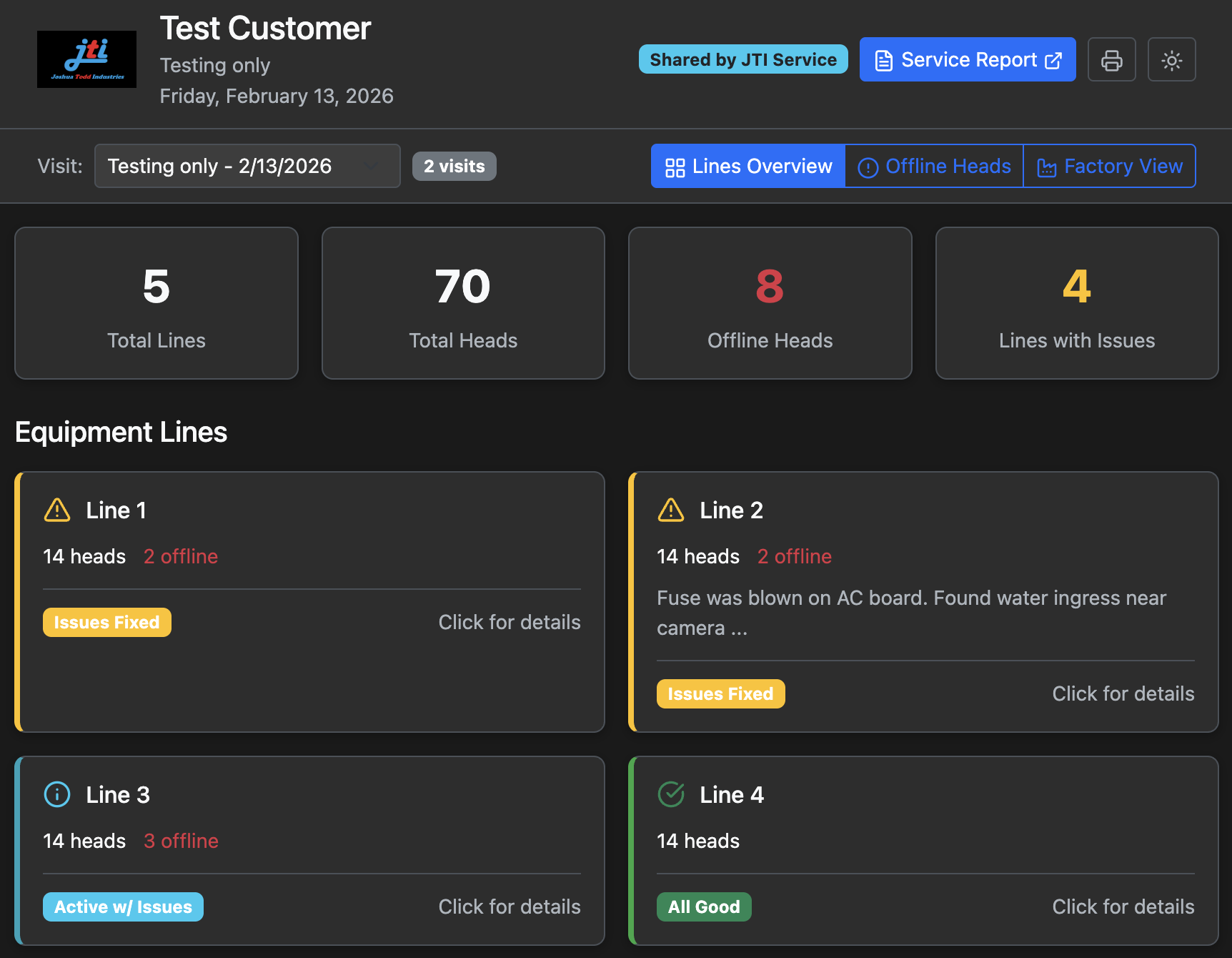
A read-only portal shared with customers so they can see their equipment status from each service visit. View lines, offline heads, past issue history, and a factory-floor layout — all updated during service visits.
Click a view to see it in action:
Home View
Home View page details the total lines, heads, offline heads, and lines with issues. It is also where you can switch between visits by clicking inside the Visit section. Top right where it says Service Report will show you that report for this visit. Each line you can click on for a more detailed description.
JTI Interactive Parts Manual
Parts Viewer
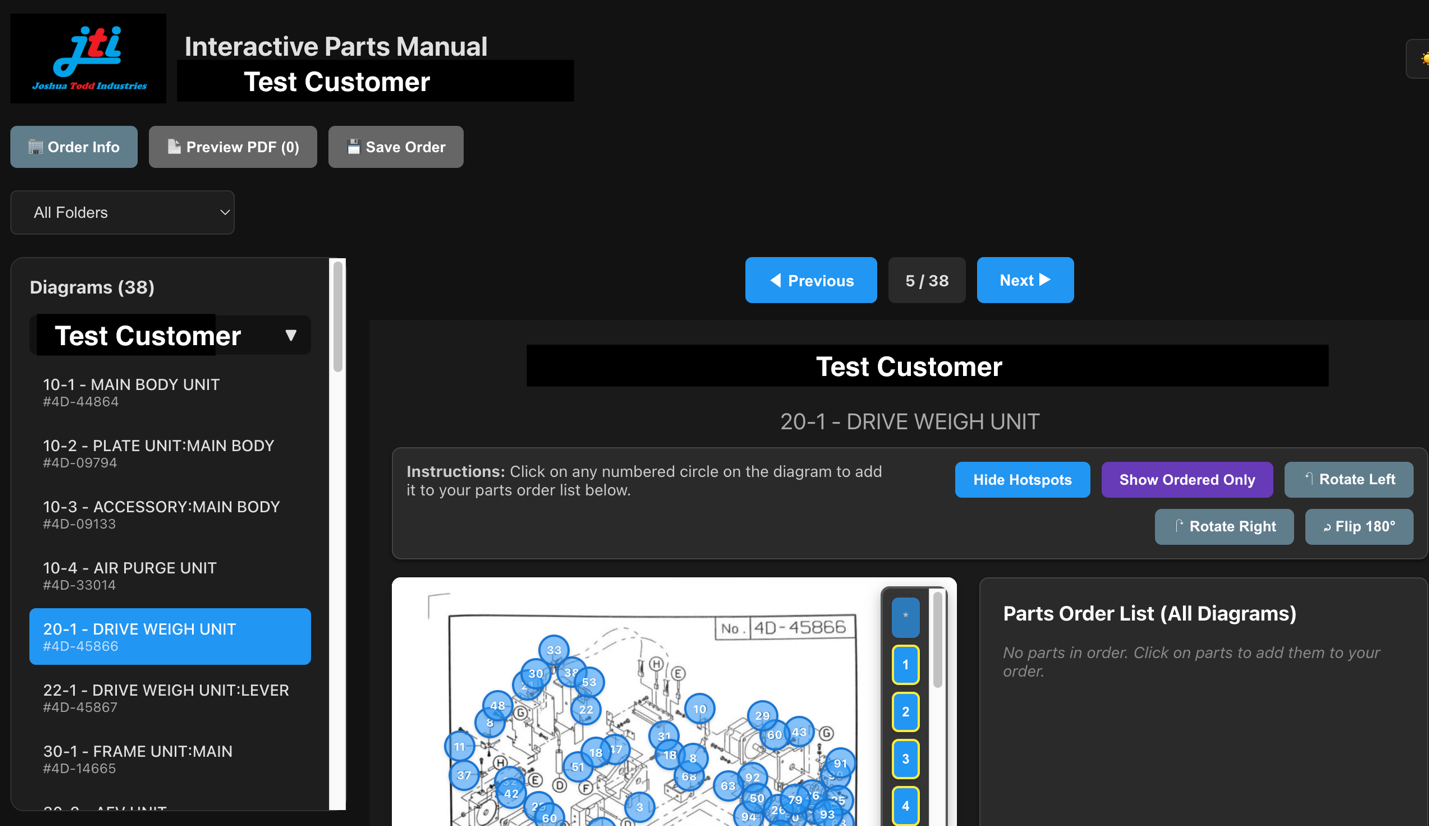
An interactive parts diagram viewer that lets customers browse Ishida equipment diagrams, identify parts by clicking on hotspots, and build parts orders with PDF export — all from a web browser.
Click a view to see it in action:
Home Screen
Home Screen shows you whichever diagram you want to view. If you have multiple models you can click where it says All Folders to view them separately or together. You can easily switch between diagrams by either clicking in the diagram section on the left hand side of the page or toggle between them with the Previous and Next buttons.
Interested in These Tools?
Contact JTI to learn how these apps can help streamline your equipment maintenance and parts management.
Get in Touch